


One-Click Device Restart for Android
The SuperBoot APK is a lightweight system utility designed for Android users seeking a faster, more efficient way to restart, reboot, or power off their devices. Developed by Armedeweb, the app simplifies routine device management tasks by condensing multiple actions into a single tap. It targets everyday users and tech enthusiasts who want to minimize time spent on basic system operations.
The software is ideal for individuals managing multiple devices or those who frequently reboot their phones for troubleshooting, app updates, or performance optimization. By eliminating the need to navigate through complex menus, SuperBoot streamlines the process of device control. Its primary purpose is to enhance usability and reduce friction in daily device maintenance.
The app is especially useful in scenarios where speed and simplicity are essential, such as after installing system updates or resolving minor software glitches. With a focus on accessibility and efficiency, SuperBoot aims to make device management effortless for all users, regardless of technical expertise.
Key Features & Capabilities
- One-Tap Reboot – Instantly restart the device with a single tap, bypassing the standard settings menu.
- Quick Power Off – Safely shut down the device without navigating through multiple system screens.
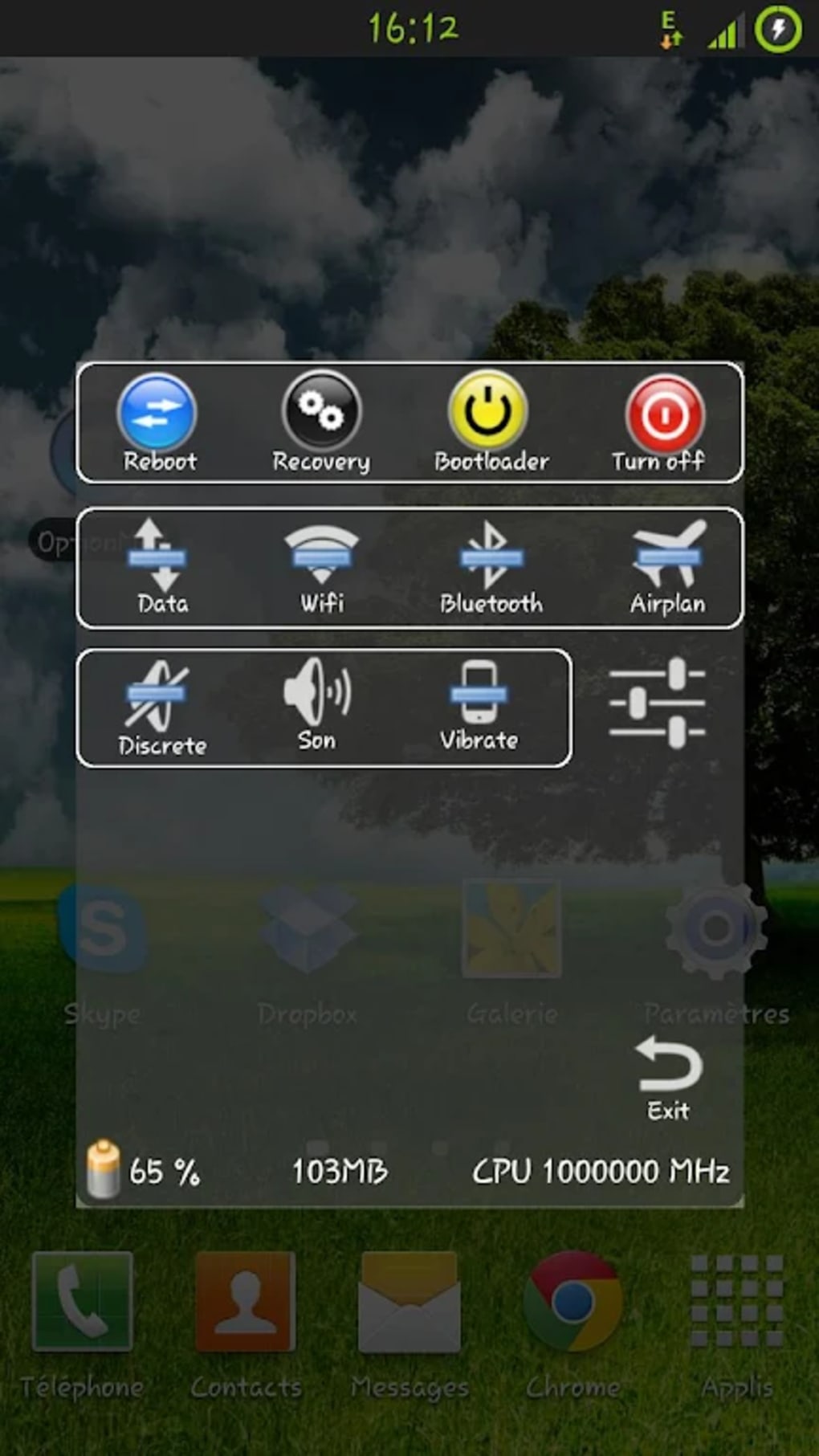
- Bootloader Access – Provides direct access to bootloader functions for advanced users.
- Lightweight Design – Only 2.3 MB in size, making it suitable for devices with limited storage.
- Simple Interface – Clean, minimal layout focused on core functions without distractions.
User Interface, Workflow & Performance
The user interface of SuperBoot APK is straightforward and functional, built around a central button that triggers the primary action—reboot. Secondary functions like power off and bootloader access are accessible via a simple menu or additional buttons, depending on the version. Navigation is minimal, requiring only one tap to execute a command. The workflow is optimized for speed, with no loading screens or confirmation delays. The app operates directly from the home screen or app drawer, ensuring quick access. Performance is expected to be efficient due to its small size and single-purpose design. The developer did not specify resource usage details, but based on the app’s lightweight nature, it is likely to have minimal impact on CPU or RAM during operation. Stability is assumed to be high, as the software does not introduce complex processes or background services. No known issues with crashes or freezes were reported in the provided information. The app runs directly on the Android system, leveraging native permissions for device control. Users can expect consistent behavior across compatible devices, though actual performance may vary depending on device hardware and Android version.Compatibility & System Requirements
SuperBoot APK is designed for Android devices running version 4.2.2 or higher. This broad compatibility ensures it can be used on a wide range of older and newer smartphones and tablets. The app’s installation size is 2.3 MB, making it suitable for devices with limited storage space. The developer did not specify additional hardware requirements beyond the operating system version. No mention was made of specific processor types, RAM thresholds, or GPU capabilities. Platform compatibility information is limited to the stated OS version. The app is distributed as an APK file, meaning it can be installed directly without requiring the Google Play Store. This makes it accessible to users on devices without access to official app stores or those who prefer sideloading. The software does not require internet connectivity to function, enabling full operation in offline environments. Users should ensure their device allows installation from unknown sources to use the APK file successfully.Pros and Cons
Pros
- Extremely lightweight at just 2.3 MB
- Free to use with no ads or in-app purchases
- One-tap reboot and power-off functionality
- Compatible with Android 4.2.2 and above
- Simple, distraction-free interface
Cons
- Only supports basic device restart functions
- No advanced customization options available
- APK installation requires enabling unknown sources
- Limited to Android platform
- No official update notifications or changelog
FAQ Section
Is SuperBoot APK safe to use?
The app is free and developed by Armedeweb. It operates with standard Android permissions and does not require elevated privileges beyond those needed for device restarts. As with any APK, users should ensure the source is trustworthy before installation.
Can I use SuperBoot on older Android devices?
Yes, SuperBoot APK is compatible with Android 4.2.2 and later versions, making it suitable for a wide range of older smartphones and tablets.
Does SuperBoot require internet access?
No, the app functions entirely offline. It does not need an internet connection to perform reboot, power off, or bootloader operations.
How do I install SuperBoot APK?
Download the APK file from a trusted source. Enable “Install from unknown sources” in your device’s settings, then open the file and follow the installation prompts.
Is SuperBoot updated regularly?
The developer did not provide information on update frequency or changelog. Users should check the official source for the latest version.





.png)

